Project Overview
 Project Overview
A note on this project: This project was completed as an interview design task. The designs were conceptual and were not developed or shipped. Certain details have been omitted to respect confidentiality.
On AI assistance: AI-assisted tools were used during this project to support design review — specifically to cross-reference wireframe specifications against developer notes and surface inconsistencies across the design system. All design decisions and outputs are my own.
A workplace giving / financial well-being platform — web and mobile application
UX Designer — designed end-to-end across both surfaces, including the design system and developer handoff
Employees managing personal giving and employers overseeing participation, impact, and compliance
Lo-fi wireframes, hi-fi screens (web & mobile), component-level dev notes, design token system
Interview brief; design-only scope with no engineering collaboration
A complete, developer-ready dual-surface product balancing data-dense admin needs with a personal, approachable employee experience
"How might we make inherently complex financial concepts feel accessible for everyone, while giving managers operational clarity at scale, inside one coherent dual-surface product?"
The Problem
 The Problem
The core challenge involved serving two distinct user groups — employees managing personal finances and employers overseeing organizational participation and impact.
The structural design problem centred on making inherently complex financial concepts feel accessible while simultaneously providing employers operational clarity at scale. Without thoughtful design, users would encounter opaque systems, abstract numbers, and uncertain actions.
Scope & My Role
 Scope & My Role
I designed end-to-end across both surfaces. My responsibilities encompassed:
- Defining information architecture for both the web admin interface and the mobile employee experience
- Creating low-fidelity wireframes establishing layout, hierarchy, and component logic
- Designing a high-fidelity design system with colour token structure, typography scale, and component library
- Producing detailed developer handoff notes covering spacing, colour usage, interaction states, and component behaviour
- Reviewing wireframes against the design system for consistency
Constraints
 Constraints
As an interview design task, the work carried a specific set of boundaries that shaped how I approached every decision.
- Design-only scope: no engineering partner for real-time sense-checking; all decisions grounded in feasibility assumptions
- Dual user contexts: the web experience (HR admin) and mobile experience (employee) needed coherence while serving fundamentally different needs
- Scalability: the design had to accommodate future growth without structural redesign
- Accessibility: accessibility requirements were built into the design system from inception, including minimum touch targets, focus states, and avoiding colour as the sole state indicator
My Approach
 My Approach
I began with structure before aesthetics, using low-fidelity work to establish layout logic, component hierarchy, and user flows.
For the web admin product, the key challenge was managing information density. The dashboard was organised around progressive disclosure — presenting important indicators at a glance, with drill-down capability via slide-out panels for individual employee records.
For mobile, the challenge involved making complex financial and charitable products feel warm and personal. Onboarding was structured as a guided three-step flow: contribution selection, investment strategy choice, and charitable cause selection. The personal dashboard visualises impact using contribution data and charity-supplied metrics.
A single design token system maintained consistency across both products, streamlining developer handoff.
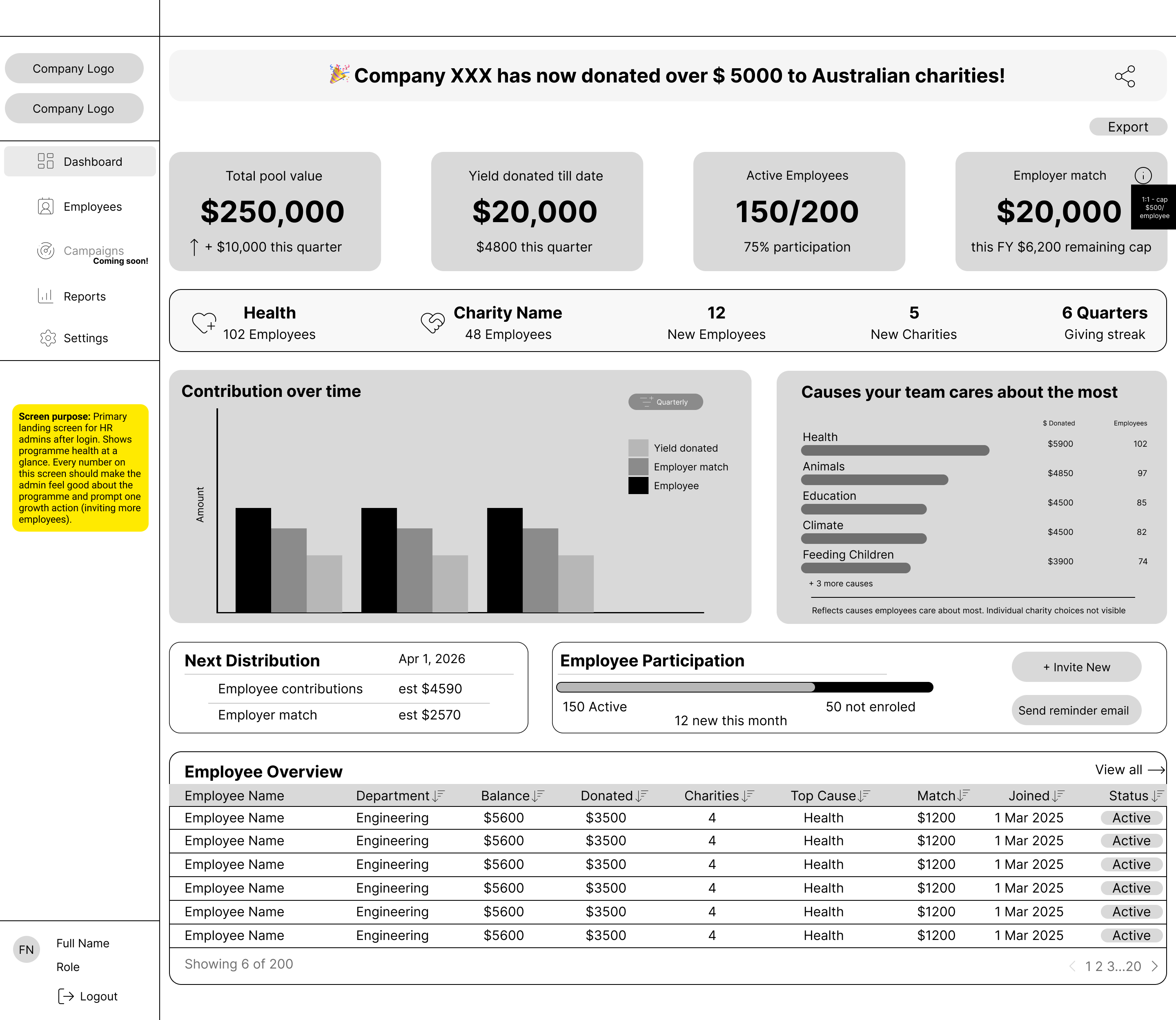
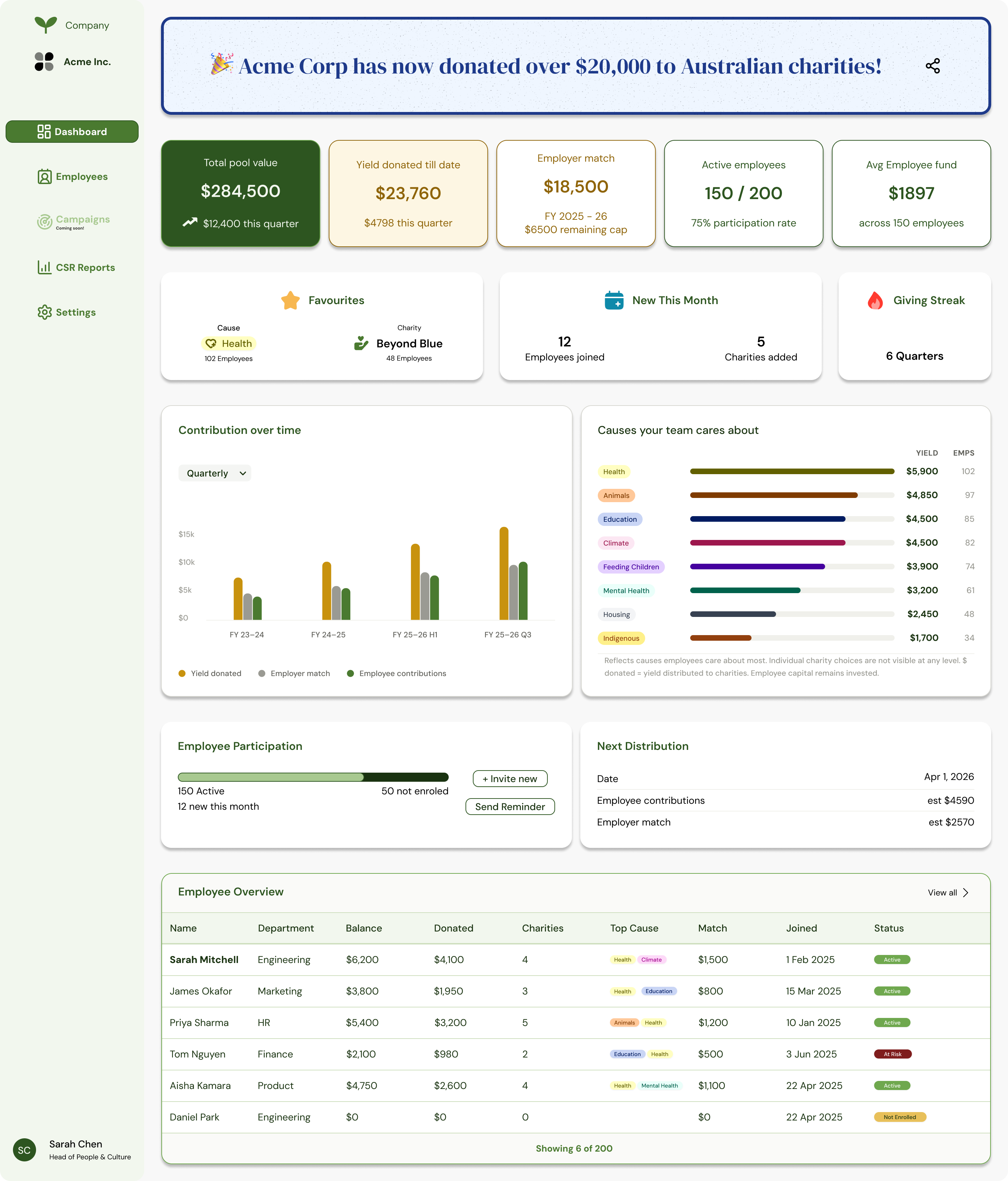
Admin dashboard — structure to high-fidelity.
Key Design Decisions
 Key Design Decisions
Four decisions shaped the product and held the two surfaces together as one coherent system.
Core design decisions
Separating Contexts Without Creating Disconnected Products
Employer and employee surfaces were designed as two aspects of one cohesive product, sharing token systems, data models, and shared concepts like fund balances and match budgets. HR admin views reflect the same data employees see on their personal dashboards.
Treating Compliance as a First-Class Feature
The reporting section includes auto-generated narratives, structured tax receipt tables, and dedicated export flows — giving compliance consideration equivalent weight to monitoring functions.
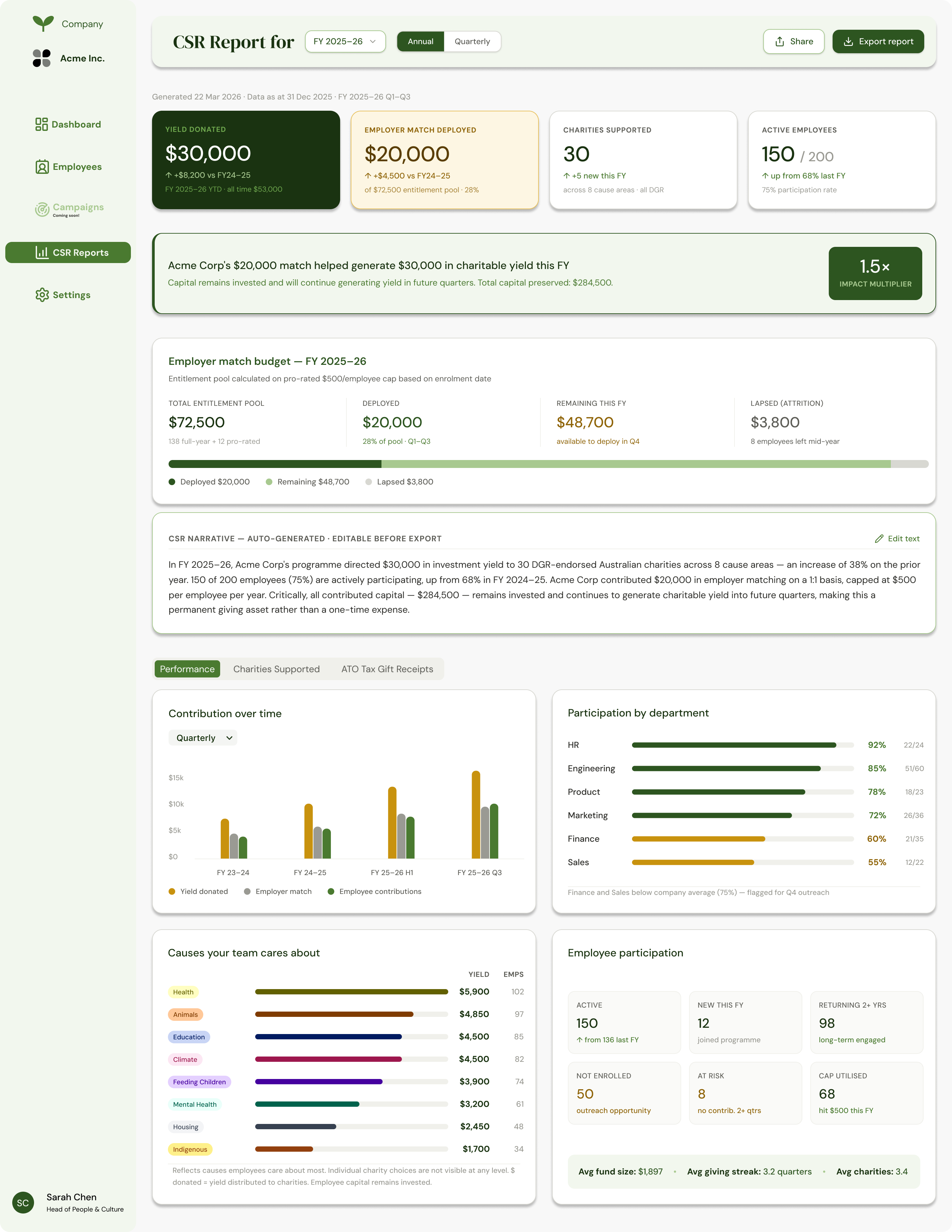
CSR report — auto-generated narrative, tax receipts, and exportable compliance data.
Building a Scalable Design System
Rather than applying colours and typography ad hoc, I built a named token system from the outset — primary greens, gold yield tones, semantic error states, and neutral scales — allowing developer documentation to reference token names instead of raw hex values.
Documenting Handoff
Developer notes documented not just implementation details but also incomplete decisions: colour tokens requiring confirmation, components needing accessibility review, and V1 versus V2 feature distinctions.
Outcome
 Outcome
The project delivered a complete, developer-ready dual-surface product. Final deliverables included:
- Low-fidelity wireframes for core screens across both surfaces
- High-fidelity designs for the web Employer Dashboard, Employee management pages, CSR Report, and mobile onboarding and personal dashboard flows
- A complete design token and typography system
- Detailed developer handoff documentation addressing layout, component behaviour, interaction states, and accessibility
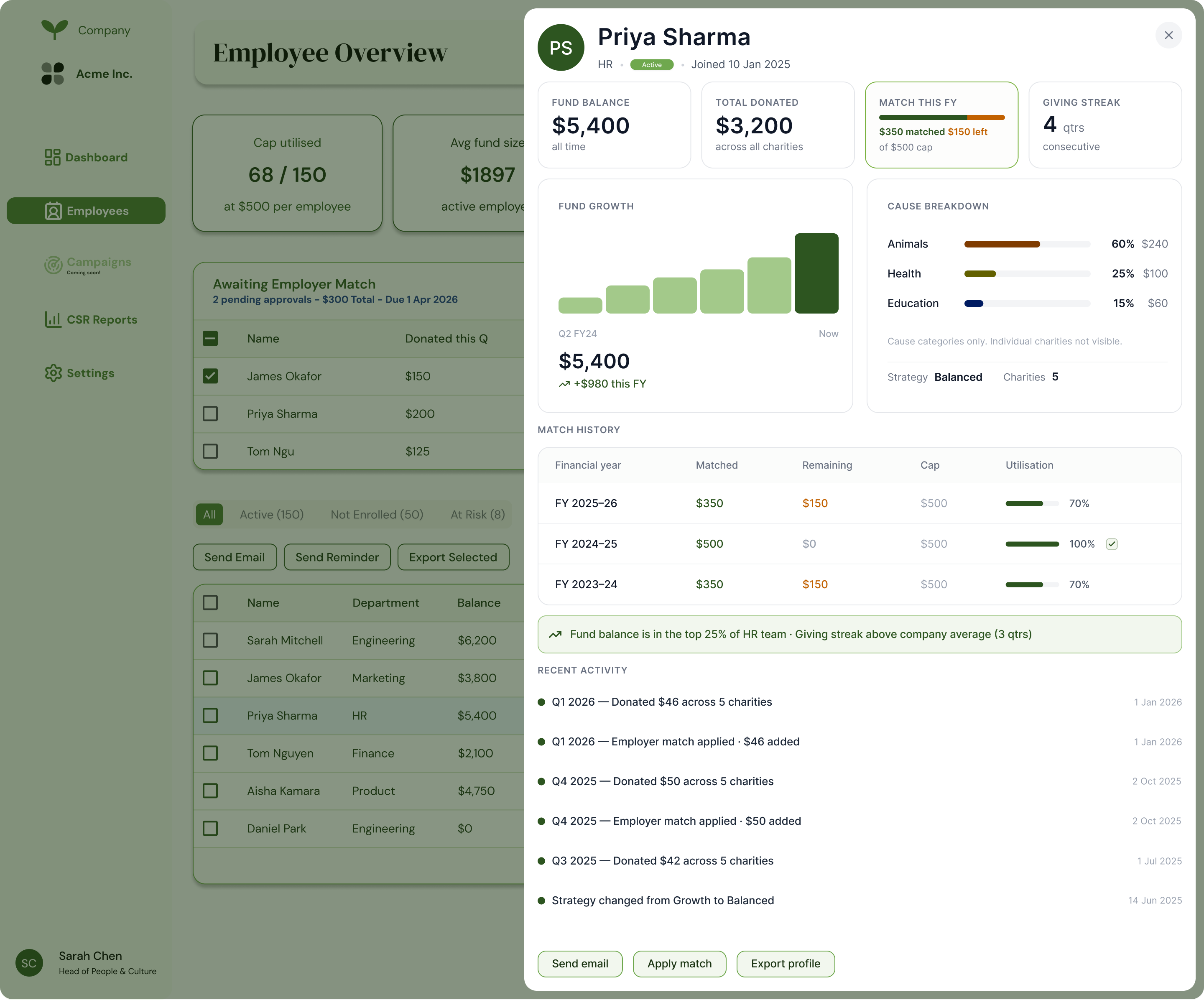
Employee detail panel — individual contribution data, match history, and cause breakdown within the admin surface.
Reflection
 Reflection
I found the dual-user challenge most interesting: HR administrators focus on aggregate data, risk management, and reporting, while employees concentrate on personal contribution, impact visibility, and next steps. Holding both perspectives simultaneously and creating a cohesive experience proved central to the project.
The process reinforced a conviction about documentation: clear, honest, structured handoff notes constitute a design output in themselves — with developers as the intended users.